
Dashboard
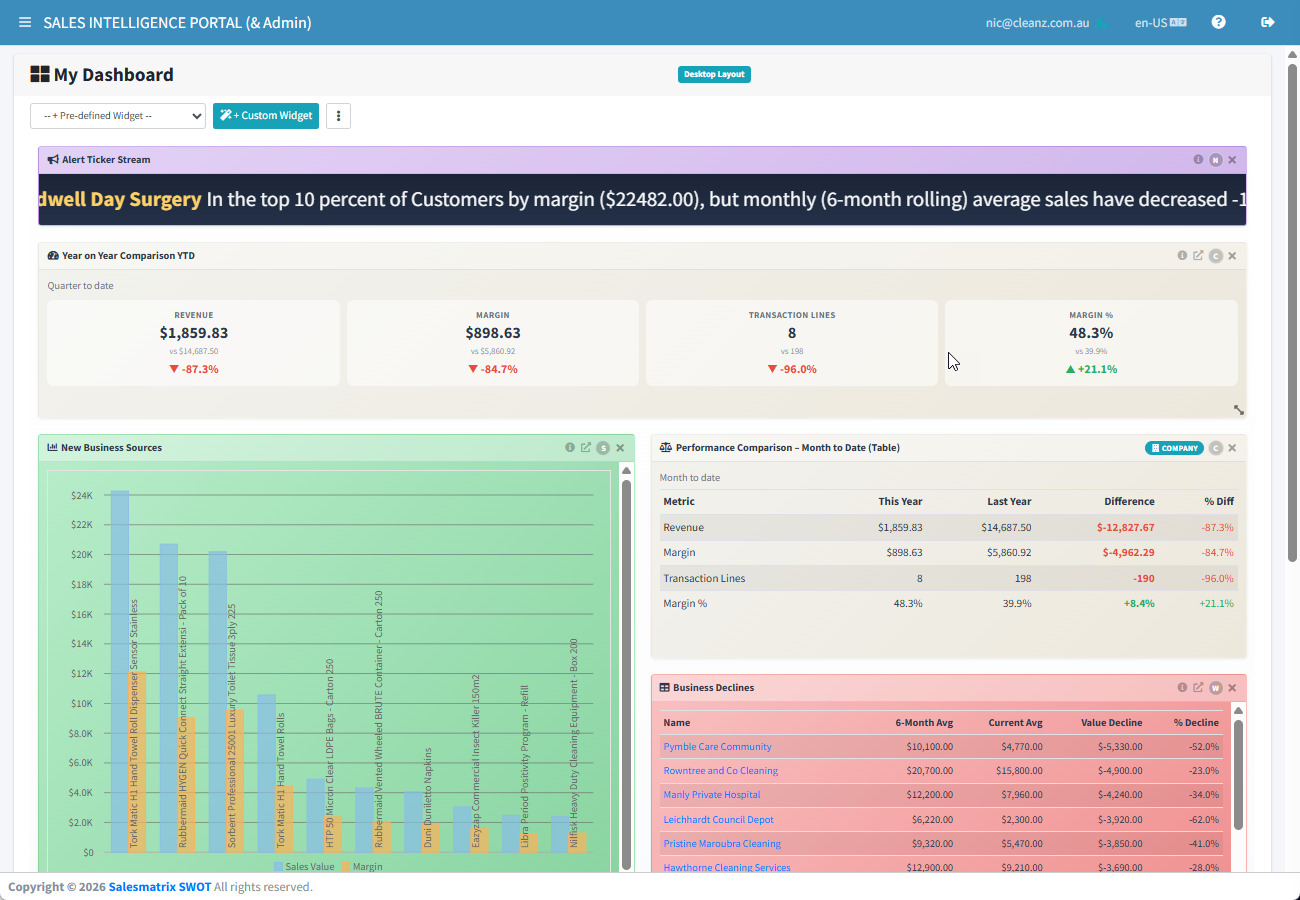
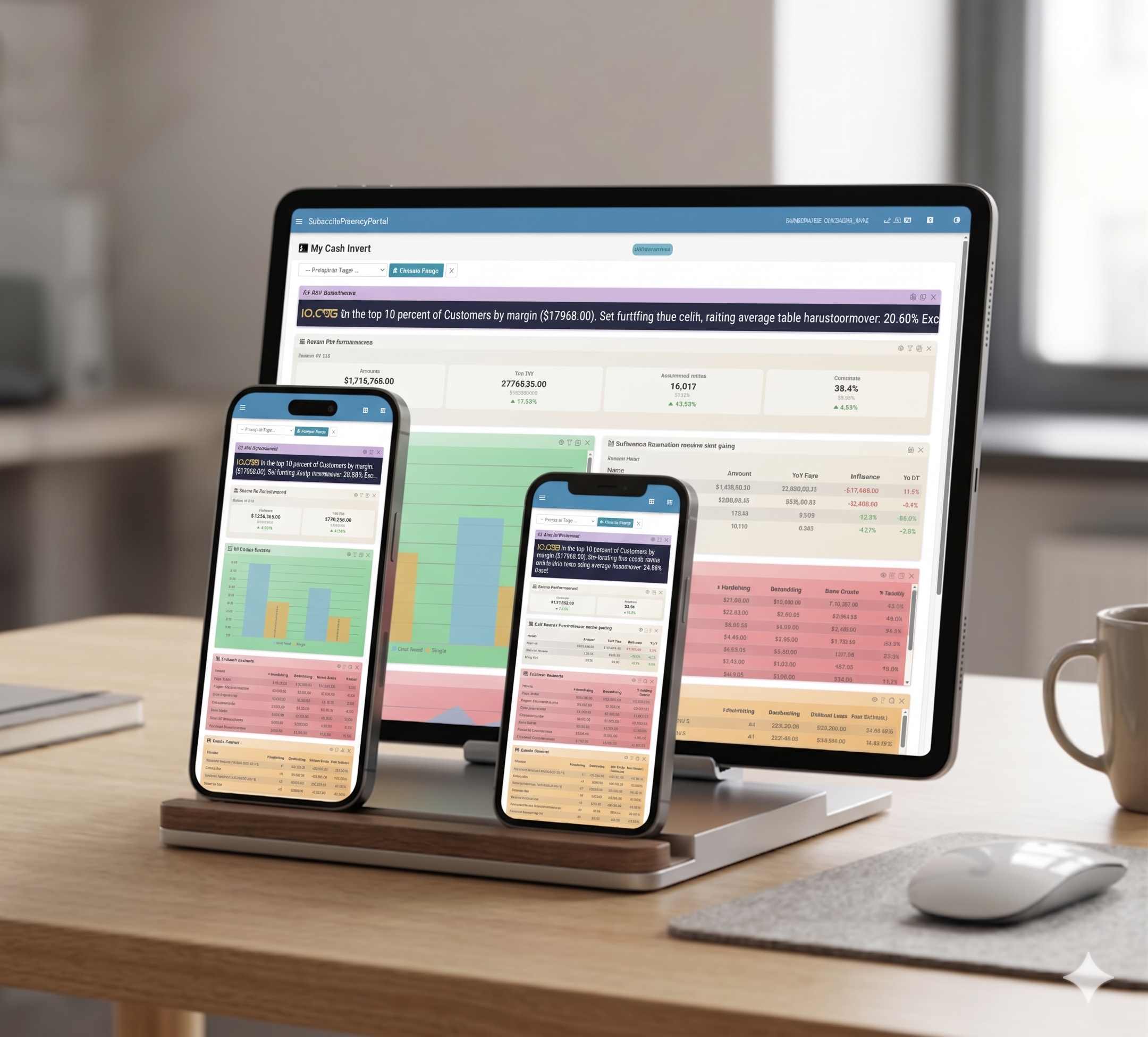
Your own page of widgets: sales vs budget, top customers, increases and declines. Flip any widget between Personal and Company. Reps start from ready-made layouts: My Day, My Territory and My Accounts.


Your sales data already knows which customers are slipping away, where your next cross-sell opportunities are, and whether your team is on track to hit budget.
Salesmatrix Sales Intelligence brings that information together in one easy-to-use dashboard, giving sales reps, managers and business owners a clearer picture of what's happening across their customers, products and sales performance.
See what needs attention, spot opportunities you might otherwise miss, and make better decisions using the data you already have.
A true sales intelligence portal designed to expose your hidden data realm and provide you with insights that both monitor and reach targets.
Your own page of widgets: sales vs budget, top customers, increases and declines. Flip any widget between Personal and Company. Reps start from ready-made layouts: My Day, My Territory and My Accounts.

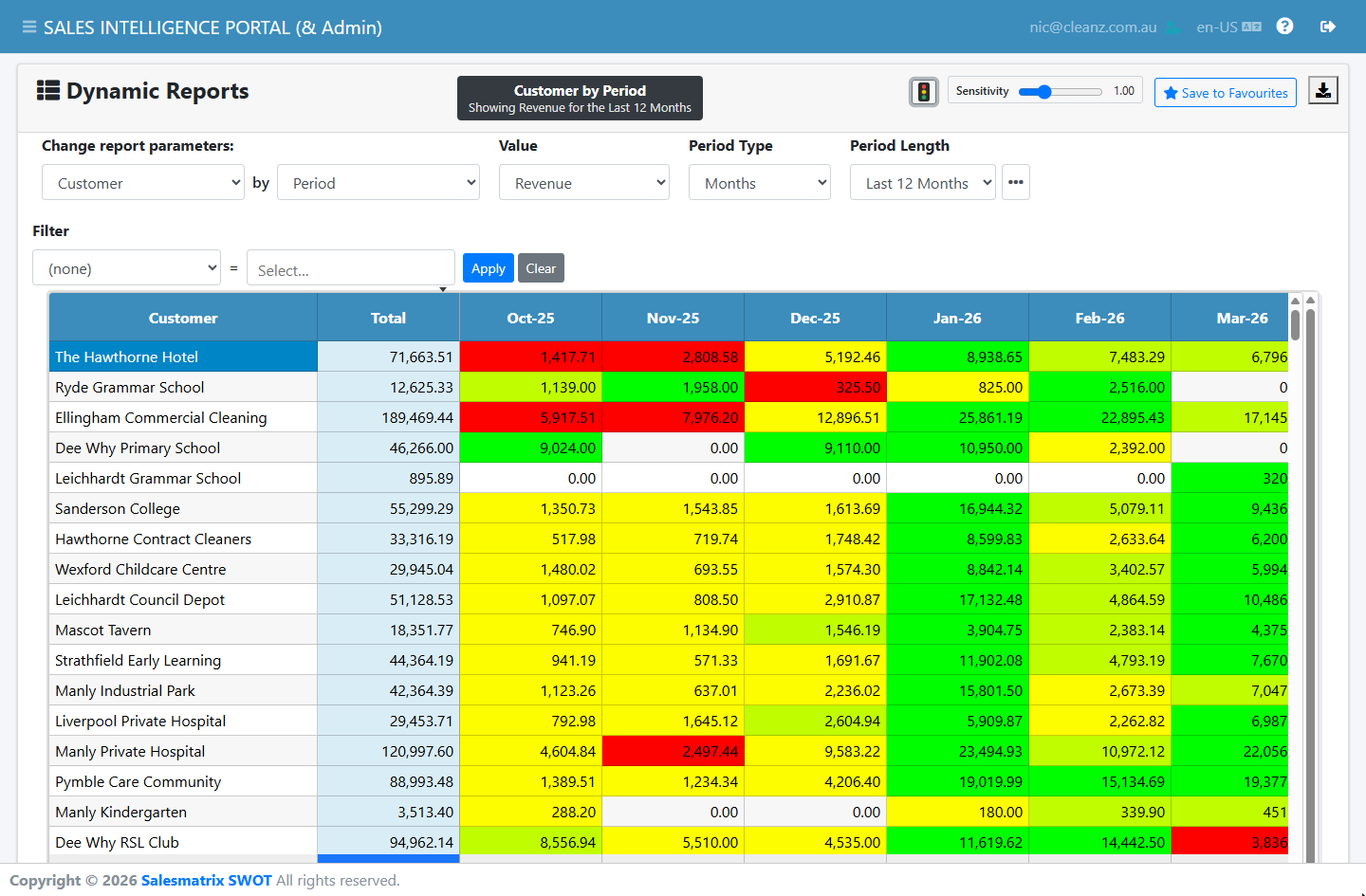
Slice sales by customer, product, rep, category or period, then drill down and export. Answers in seconds, not month-end.

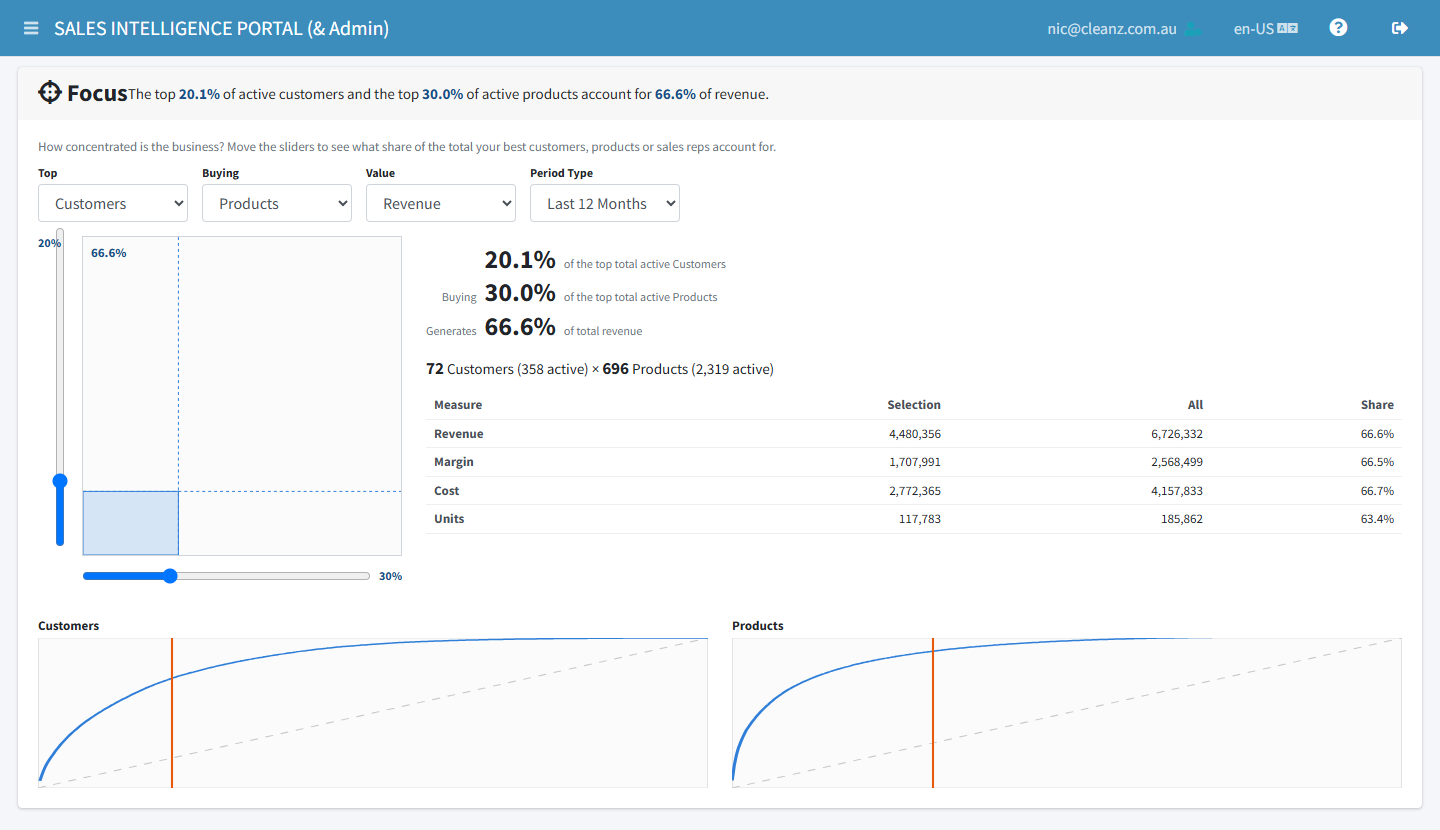
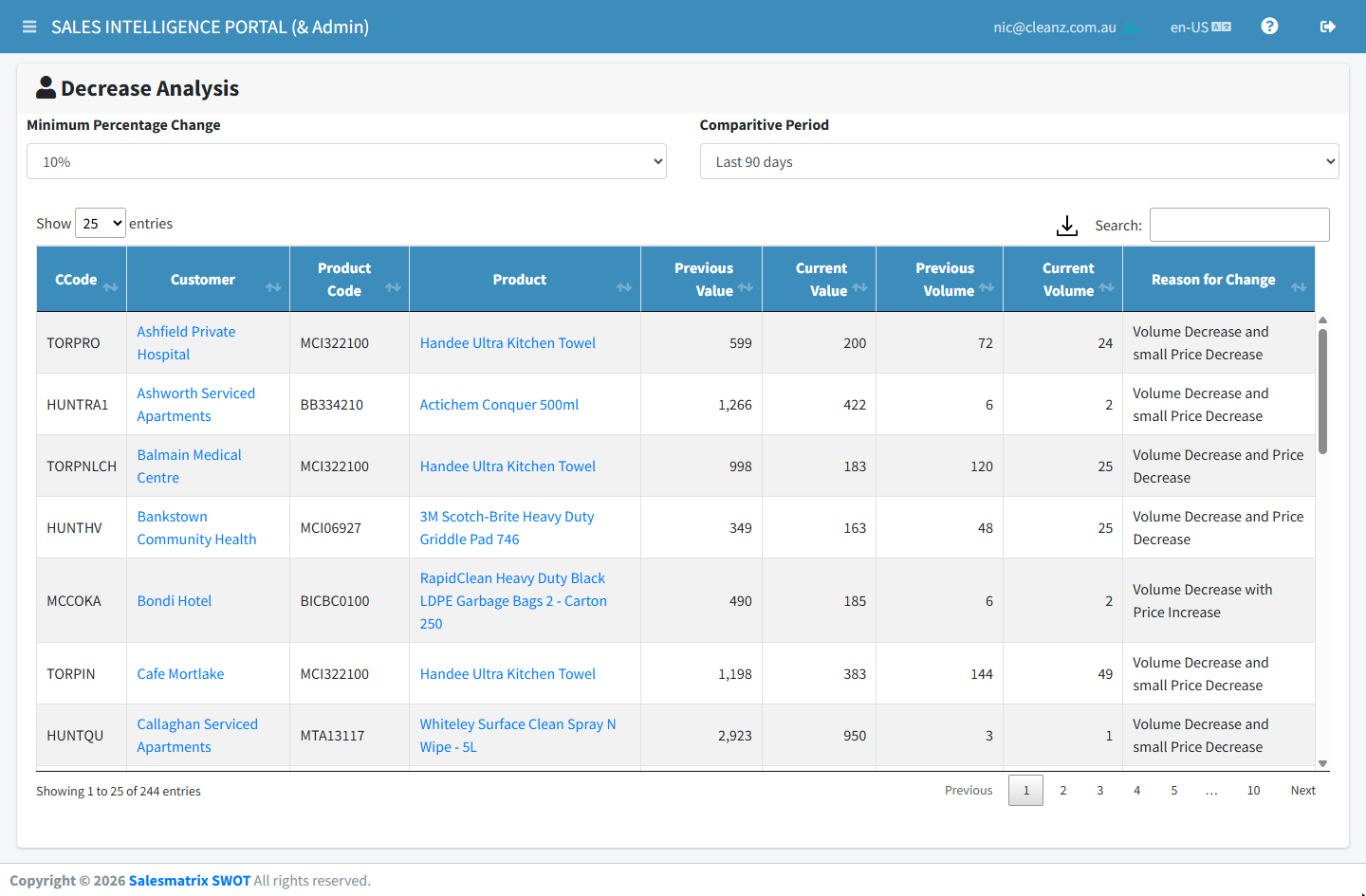
The owner's view. Growth Strategy shows which customers and products moved up or down on revenue and margin. Focus shows the 80/20: who carries the business and how long the tail is.

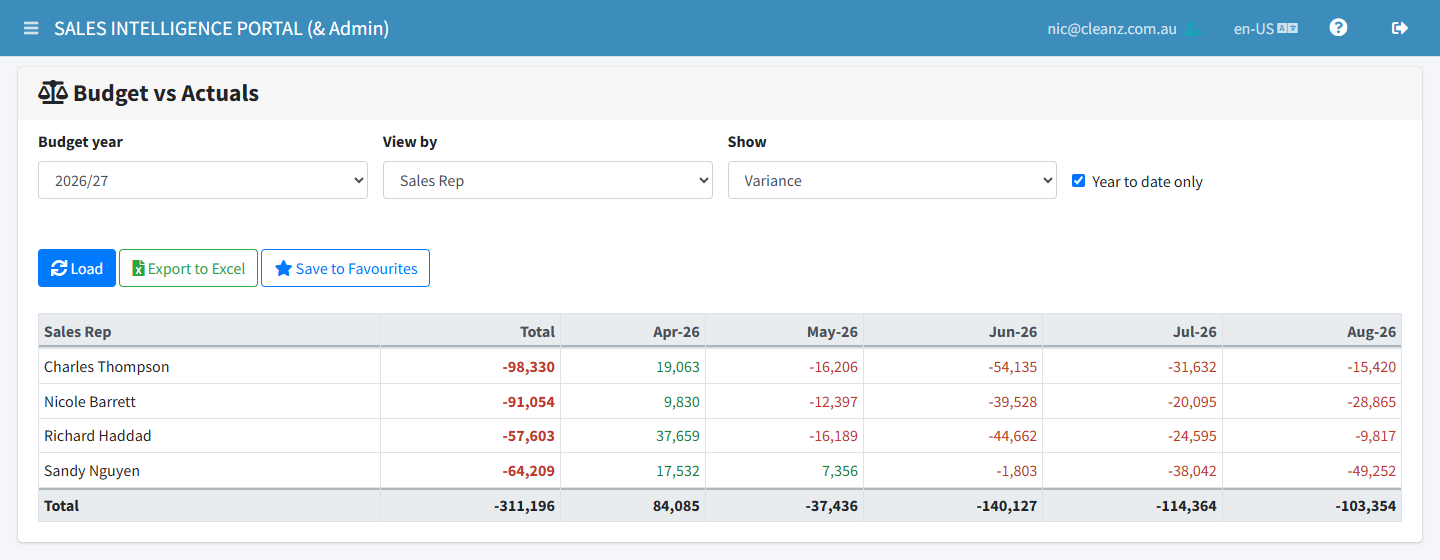
Build a balanced 3D sales budget (customers × products × reps) in hours, linked to your live sales so progress is always current.

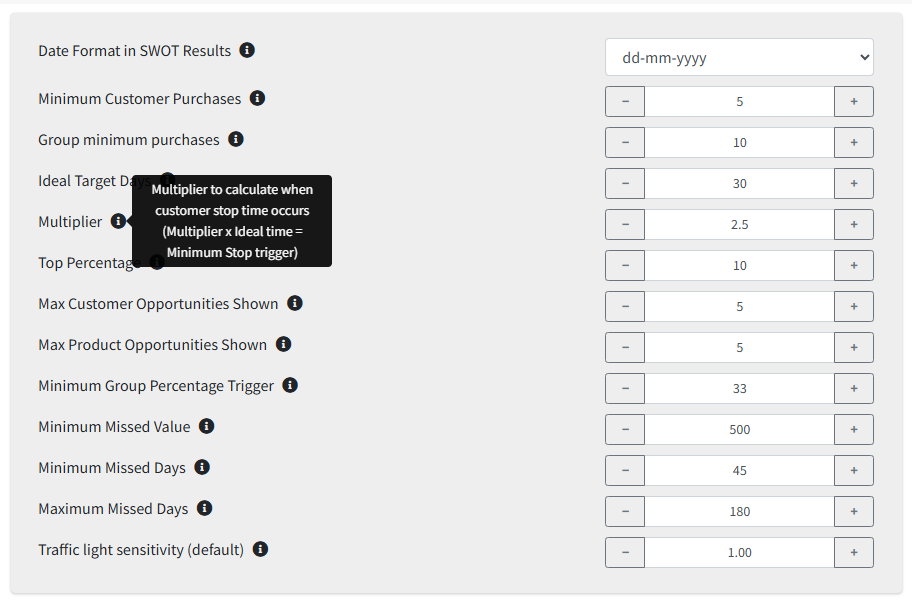
Strengths, Weaknesses, Opportunities and Threats for every customer and product: who stopped buying, what lapsed and where the cross-sell gaps are. The same intelligence your reps carry in the Salesmatrix SWOT apps.

Sales Rep, Manager and Administrator access levels, so everyone sees exactly what they should. Group customers and products your way with ten category columns.
Where the business is growing, shrinking and leaking margin.
Growth Strategy, Focus and budget progress, without waiting for month-end.
Territory performance against budget, rep by rep.
Switch any widget between your territory and the whole company, and work the SWOT lists with your team.
Today's call list, lapsed customers and what to offer them, on desktop or phone.
Start the day from My Day, and open a customer's SWOT on your phone before you walk in.
Read-only access, revoke any time.

~10 min Nothing to install

~10 min Nothing to install

~15 min Nothing to install

~20 min Read-only user
~30 min With The Connector
Attaché, MYOB Exo, Jiwa, Sybiz, SAP Business One and more.
Not listed? Talk to us. We connect to 40+ accounting and ERP systems.
50 user-days, counted from your first successful import, not from sign-up. That's one person for 50 days or five people for 10. No credit card.
Reps get the same intelligence in the Salesmatrix SWOT apps for iOS and Android.
And without the app, SWOT Lookup shows any customer's or product's SWOT in the phone's browser, ready to save as Excel or PDF.
Salesmatrix SWOT →Salesmatrix connects with read-only access, so it can never change anything in your ERP, and you can revoke that access at any time. We are hosted on servers at AccuWebHosting.com in Sydney AU and Denver US
You will be notified in advance and your administrator can review the credits left. In the event your credits reach zero, you will have 30 days and our system will archive and delete your data.
Usually not. Cin7 Core, Unleashed and Odoo connect in 10 to 15 minutes with nothing to install. MYOB Acumatica needs a read-only user, about 20 minutes. An in-house ERP connects through The Connector in about 30 minutes. Each system has a step-by-step guide.
Yes. Salesmatrix only reads your sales data, so your ERP and its reports carry on exactly as before.
If you are connecting already to your ERP via ODBC the migration is simple. You can do the transition yourself with the use of our How-to guides. If you want help please contact us at Salesmatrix and we are only too willing to lend advice and assist.