


2.4 Growth Strategy — inside a band
Click any cell to list what is in it. The list shows each record's Revenue and Margin %, base and current, and a Move column that names what changed:
| Move reads | Meaning |
|---|---|
| +1 Revenue, +1 Margin | Up one revenue band and one margin band. |
| −1 Margin | Same revenue band, one margin band lower. |
| New | Was not buying in the earlier period. |
| Lost | Was buying then, is not now. |
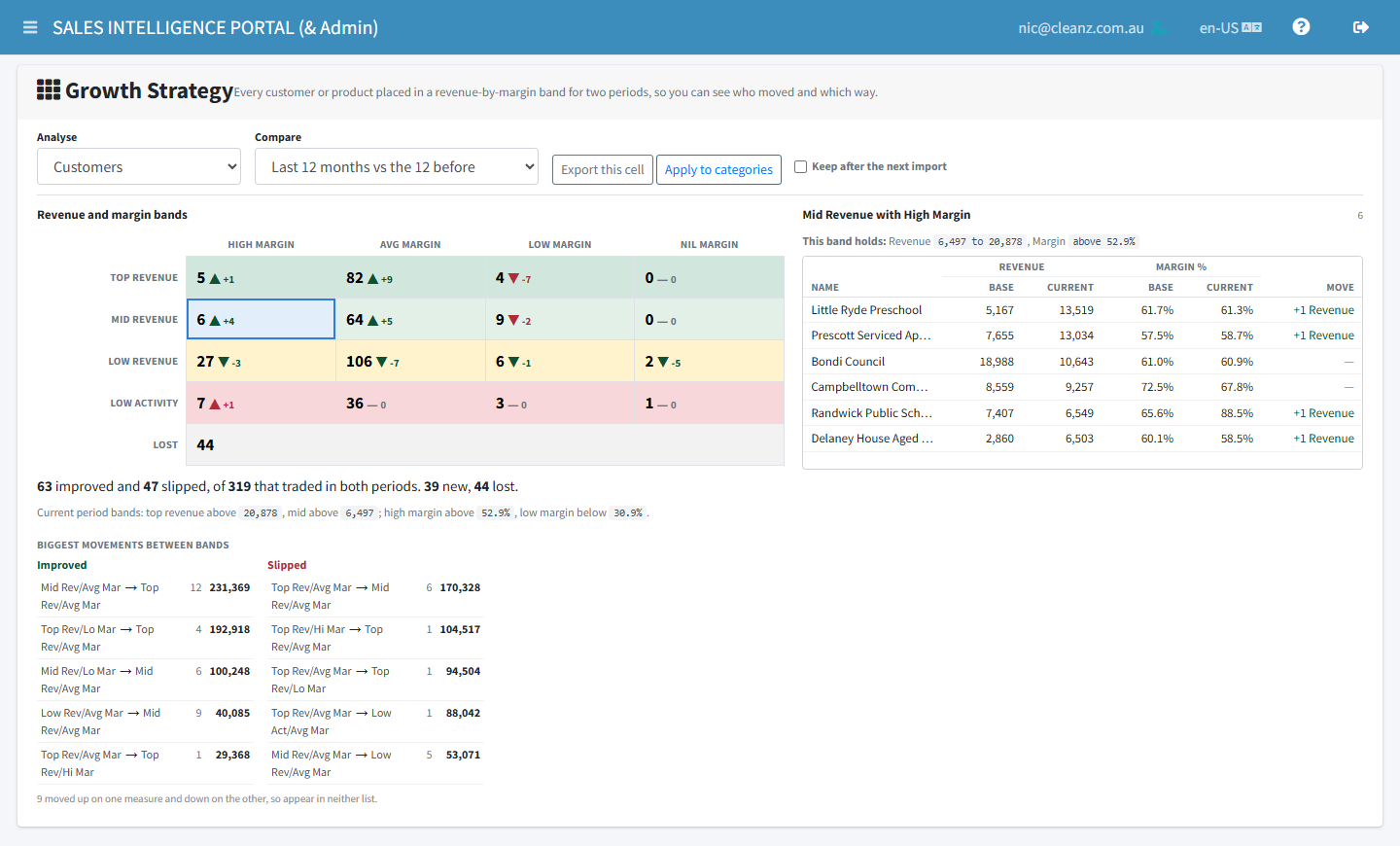
Export this cell saves the selected band — or the selected movement — as a spreadsheet with the same columns as the screen.
Why some margins read N/A
A margin beyond ±500% comes from a missing cost or a mispriced line against small revenue. It is a data artefact, not a margin, so it reads N/A on screen and in the export.