

4. Notifications
Notifications are messages to the people on the account. The page lists messages with their Sender, Message Subject, Message Text, the time sent and whether each has been read; the Status filter switches between sent messages and drafts.
Write the message
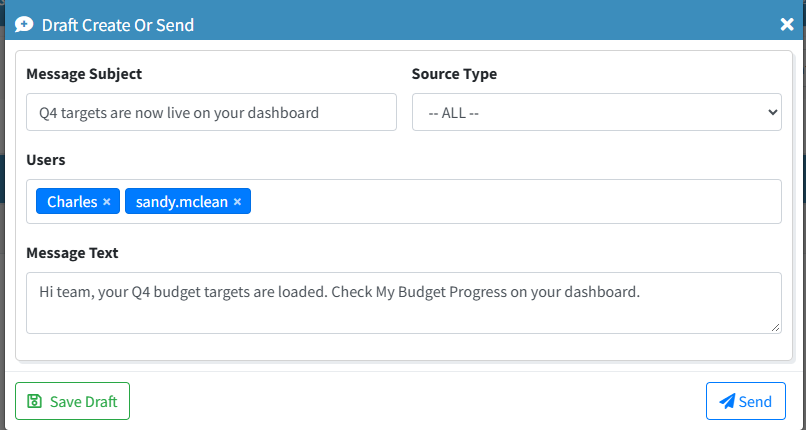
Start a new notification and fill in the Message Subject and Message Text.
Choose the recipients
Pick the Source Type and the Users who should receive it.
Send
Click Send. The Is Read column shows who has opened it.