

3. Editing a user
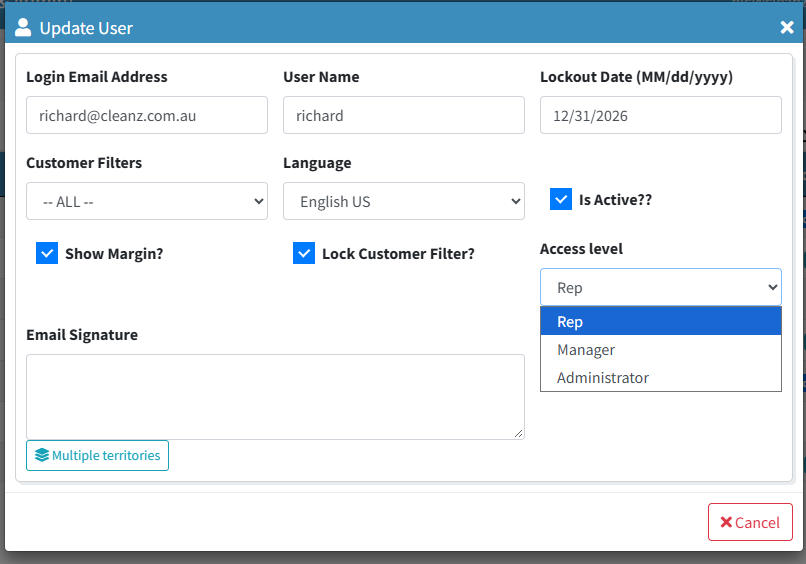
Clicking a user's email opens Update User:
| Field | What it controls |
|---|---|
| Access level | Rep, Manager or Administrator — what appears in their menu and what they can open. |
| Sales Rep | Links the login to their sales rep, so personal dashboard views work. The same link they can set themselves from the dashboard. |
| Customer Filters | Restricts the customers this person sees. |
| Lock Customer Filter? | Stops them changing that filter themselves. |
| Show Margin? | Whether margin figures are shown to them. |
| Language | The language the application opens in for them. |
| Is Active? | Untick to stop someone signing in without deleting them. |
| User Name, Email Signature | How emails sent on their behalf are addressed and signed. |
The menu is a courtesy; the level is the lock
Access is checked when a page is opened, not just when the menu is drawn, so a shared or bookmarked link will not take someone past their level.
Keep at least one Administrator
If the last Administrator is reduced to Manager or Rep, nobody can reach this page to put it back.