


2. Finding your way around
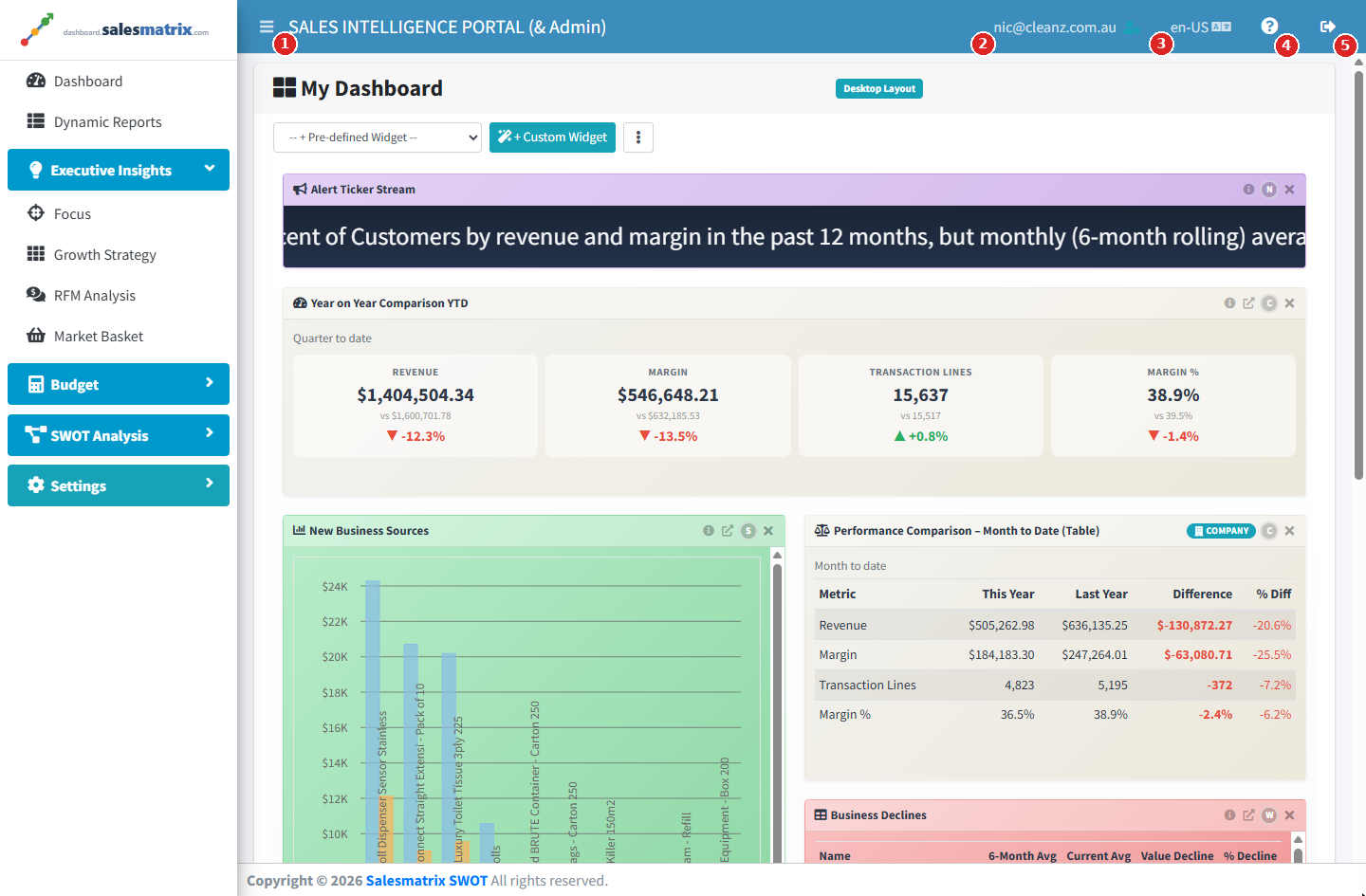
Every page shares the same frame:
- The top bar — the menu toggle (three lines) on the left; on the right, your email address (and your linked sales rep, once set), the language selector, the Help icon and the sign-out arrow.
- The side menu — Dashboard, Dynamic Reports, then four groups that open and close: Executive Insights, Budget, SWOT Analysis and Settings. The group holding the page you are on always opens, and the groups you leave open are remembered.
- The content area — the page itself. A spinning circle means data is on its way; messages confirming a save or reporting a problem appear briefly at the top right.
Why your menu may be shorter than a colleague's
Each sign-in carries an access level, and the menu shows only what that level can open:
| Access level | What appears in the menu |
|---|---|
| Rep | Dashboard and Dynamic Reports. |
| Manager | The above, plus Executive Insights, Budget and SWOT Analysis. |
| Administrator | Everything, including Settings. |
Some features also depend on your subscription — Budget is the usual example. Where it is not included, the Budget group is missing for everyone, whatever their level.